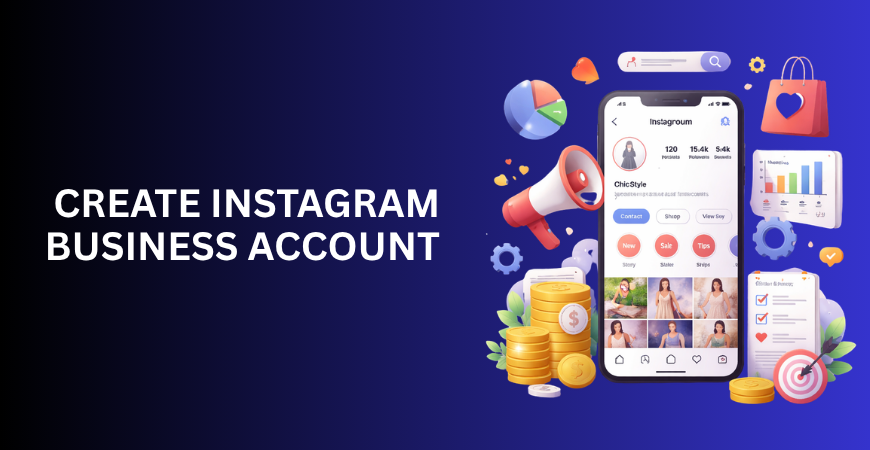
Most people jump in thinking once they create Instagram business account, the results will follow automatically. More reach, more followers, more leads—it sounds simple on paper. In reality, that mindset is exactly why most accounts stay inactive or invisible.
Creating the account is the easiest part. What actually determines success is how you set it up and what direction you give it from day one.
If you create an Instagram business account without a clear structure, you’re not building a business asset—you’re just creating another profile that gets ignored. But when you approach it with intent, it becomes a channel that can consistently bring visibility and customers.
This guide focuses on doing it properly—not just setting it up, but setting it up in a way that actually works.
Why Creating an Instagram Business Account Properly Matters
Before you even create Instagram business account, you need to understand how the platform works today. Instagram has evolved beyond a simple photo-sharing platform. It functions more like a discovery engine where people search, evaluate, and decide.
Users don’t just scroll anymore—they assess. They look at your profile, your content, your positioning, and within seconds decide whether you’re worth their attention.
That means if your account isn’t set up properly, it doesn’t just look bad—it actually drives people away.
There are millions of businesses on Instagram, but only a fraction of them generate meaningful results. The difference is not effort. It’s clarity and structure. When someone creates Instagram business account without thinking through positioning, they end up posting randomly, attracting the wrong audience, or worse, no audience at all.
On the other hand, when the setup is done strategically, the account starts functioning like a landing page. Anyone who lands on your profile should instantly get what you do, who it’s for, and what to do next. That’s where conversion begins.
So the goal here isn’t just to create Instagram business account. It’s to make sure that when someone lands on it, they don’t leave confused.
Step-by-Step: How to Create Instagram Business Account
The process itself is straightforward, but the way you approach each step makes a significant difference.
Setting Up the Account the Right Way
You start by downloading Instagram and signing up using your email or phone number. That part is basic, and there’s nothing complex about it. But what matters is whether you’re starting fresh or converting an existing profile.
If you already have a personal account with some activity on it, switching it over can save you a lot of time. Instagram allows you to switch by going into settings, selecting the account section, and choosing the professional account option. From there, you select “Business,” and at that point, you officially create Instagram business account.
Nevertheless, this is where the majority of people cease to ponder. They complete the switch and assume the job is done. In reality, this is just the technical step. The strategic part begins immediately after.
Choosing the Right Category
Once you create Instagram business account, Instagram asks you to select a category. Most people rush through this, picking something that sounds close enough. That’s a mistake.
Your category plays a subtle but important role in how your account is perceived and discovered. It tells both the algorithm and the audience what space you belong to.
If you operate a service-based business, your category should clearly reflect that. Ambiguity can lead to confusion, and when that occurs, potential customers often lose interest. It’s essential that people can easily understand what you offer without having to guess.
Connecting Your Facebook Page
At some point during the setup, you’ll be prompted to connect a Facebook page. Many people skip this step, thinking it’s optional and unnecessary. Technically, it is optional—but strategically, it’s useful.
When you connect your page after you create Instagram business account, you unlock better advertising capabilities, improved tracking, and smoother integration if you ever decide to scale your marketing efforts.
Even if you’re not planning to run ads right away, setting this up now saves you from headaches later.
Optimizing Your Account After You Create Instagram Business Account
This is the stage where most accounts either gain momentum or stall completely. Simply creating the account doesn’t give you an advantage. Optimization does.
Turning Your Profile Into a Conversion Point
Your profile is the first thing people notice—it’s your digital first impression. The moment someone lands on it, they’re silently asking: what is this, is it for me, and can I trust it? If you don’t answer those quickly, they’re gone.
The username you choose when you create Instagram business account should be simple, searchable, and aligned with your niche. Overcomplicating it with random characters or unclear branding only makes it harder for people to find or remember you.
Then comes your bio, which is one of the most underutilized sections. Most bios are vague and filled with generic phrases that don’t communicate anything meaningful. A strong bio should clearly explain what you do, who you help, and what action someone should take next.
Making It Easy for People to Contact You
When you create Instagram business account, you unlock features like contact buttons. This includes options for calling, emailing, or getting directions.
Ignoring these is a mistake. If someone is interested in your service, the process of reaching you should be frictionless. The more steps you add, the higher the chance they drop off.
Using Insights Without Overthinking Them
One of the advantages when you create Instagram business account is access to analytics. These insights can be helpful, but they’re often misused.
It’s not necessary to monitor every single metric. Focus on what actually reflects progress—how many people are reaching your content, how they’re engaging with it, and whether they’re visiting your profile.
Obsessing over follower count or vanity metrics doesn’t help you grow. It just creates a false sense of progress.
What Most People Do Wrong After They Create Instagram Business Account
A common mistake is posting without any real strategy. People create Instagram business account and immediately start uploading content without thinking about who they’re speaking to or what they’re trying to achieve. That leads to inconsistent messaging and weak engagement.
Another issue is chasing numbers instead of value. Buying followers or focusing purely on growth hacks might inflate your numbers temporarily, but it doesn’t build a real audience. Instagram’s algorithm is designed to prioritize genuine interaction, not artificial growth.
Lack of clarity is another major problem. When there’s no defined niche or focus, the content becomes scattered. One day it’s educational, the next day it’s random, and over time, the audience loses interest because there’s no consistency.
Creating the account is not where people fail. They fail in what they do after they create Instagram business account.
How to Grow After You Create Instagram Business Account
Growth doesn’t happen randomly. It comes from consistent and intentional actions.
Building a Content Direction
Instead of posting whatever comes to mind, it’s more effective to structure your content around a few key themes. These themes should align with your strengths and what your audience genuinely values.
For example, if you’re in digital marketing, your content can revolve around educating your audience, addressing common problems they face, and occasionally promoting your service. This balance keeps your profile both valuable and relevant.
Leveraging Reels for Visibility
Ignoring reels at this stage is a serious limitation. Reels are one of the fastest ways to reach new audiences after you create Instagram business account.
However, simply posting reels is not enough. The first few seconds need to capture attention, the message needs to be clear, and the content needs to deliver value quickly. Without these elements, even reels won’t perform well.
Understanding Instagram as a Search Platform
A lot of people still treat Instagram purely as a social platform, but it has evolved into something more. Keywords now play a role in how content is discovered.
When you create Instagram business account, you should start thinking in terms of search intent. The words you select for your bio, captions, and even your username can affect how easily others find you. That doesn’t mean cramming keywords everywhere, just using them naturally where they actually fit.
Real Example: What Actually Works
Consider two scenarios.
In the first case, someone creates Instagram business account and leaves it half-finished. The bio is unclear, the content is inconsistent, and there’s no defined direction. Over time, the account struggles to gain traction.
In the second case, someone takes the time to define their niche, optimize their profile, and maintain a consistent content strategy. The growth might not be instant, but it’s steady and meaningful.
The distinction between these two outcomes isn’t due to chance. It’s approach.
Tools to Manage Your Instagram Business Account Efficiently
Managing everything manually can become overwhelming, especially as you start growing. Using a few essential tools can make the process smoother.
Scheduling tools help maintain consistency without requiring you to post manually every day. Analytics tools give deeper insights when basic data isn’t enough. Content planning tools help you stay organized and avoid last-minute confusion.
The goal is not to depend on tools, but to use them to maintain efficiency after you create Instagram business account.
Final Thoughts
Let’s be clear—anyone can create Instagram business account in a matter of minutes. That’s not where the advantage lies.
The real advantage comes from how intentionally you build and use it. A well-structured account isn’t just a profile anymore—it works like a system that attracts people, keeps them engaged, and turns them into customers.
If you treat it casually, it stays average. If you treat it like a business tool, it starts delivering results.