Running ads without knowing what happens after the click is where most businesses get stuck. You might see traffic, maybe even decent engagement—but you still don’t know who’s actually converting and who’s just passing through. That gap is exactly where facebook pixel code comes in.
It’s not something flashy, and honestly, most people install it without thinking much about it. But behind the scenes, it’s doing the heavy lifting—tracking what users do on your website and feeding that data back into your ad system. If your campaigns feel inconsistent or hard to scale, chances are you’re not using facebook pixel code properly.
So instead of keeping things vague, let’s break it down clearly—what it is, why it matters, how it works, and how to set it up so your decisions are based on real data, not assumptions.
What is Facebook Pixel Code and Why It Matters
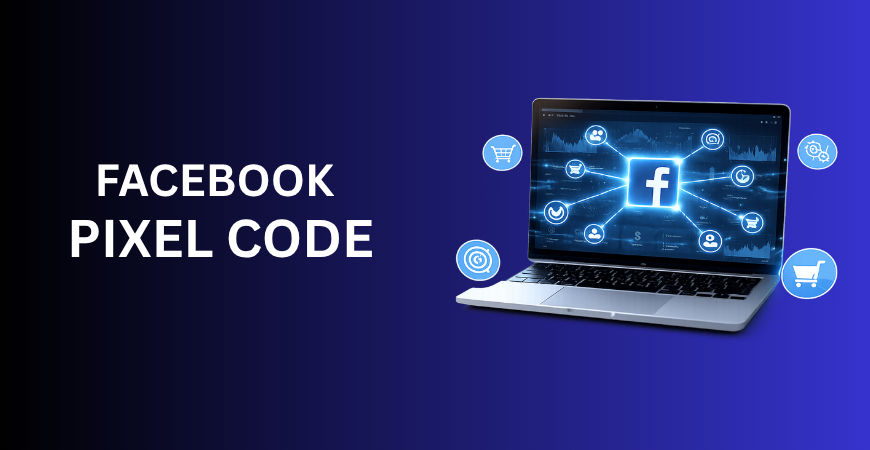
Facebook pixel (now technically called the Meta Pixel) is basically a small piece of JavaScript you add to your website. Once it’s in place, it starts tracking what people actually do—whether they browse, click, or make a purchase—and sends that information back to your ad platform.
Here’s where most people get it wrong. They treat it like just another tracking tool. It’s not. It works more like a feedback loop that helps your ads get smarter over time.
Every time someone visits your site, the Meta pixel code captures their actions—page views, clicks, purchases—and turns that into data you can use to improve your campaigns instead of just guessing what might work.
Why businesses actually need it
Let’s be direct—without Meta Pixel code, your ads are running blind.
You won’t know:
- Which ad leads to a sale
- Which audience is profitable
- Where users drop off in your funnel
That’s not a small problem. That’s the difference between scaling and wasting money.
The real impact on marketing performance
A properly configured facebook pixel code allows you to move from guesswork to measurable growth. Instead of asking, “Is this working?” you start asking, “How do I improve what’s already working?”
This shift is what separates beginners from serious marketers.
A practical example
Imagine you run ads for a local service business. Two campaigns bring traffic, but only one generates leads.
Without the meta pixel code, both campaigns look similar.
With it, you can clearly see which one drives conversions—and double down on it.
That’s where performance marketing actually begins.
How Facebook Pixel Code Works and How to Set It Up
When a user lands on your site, the Mata pixel code activates instantly. It assigns a unique identifier and starts tracking behavior.
Every action—whether it’s viewing a page or completing a purchase—is recorded as an event. These events are then sent back to your ad account, where they influence how your ads are delivered.
Over time, this creates a learning loop:
- Users interact with your website
- Data gets collected
- Campaigns get optimized
This loop is what makes your advertising smarter.
Understanding events and their importance
Events are the backbone of Facebook Pixel. They represent user actions that matter to your business.
Basic events include page views, but those don’t drive revenue. What really matters are high-intent actions like purchases, leads, or checkout initiations.
If you track everything without filtering, your data becomes cluttered. If you track the right events, your data becomes actionable.
Step-by-step setup process
Setting up Meta Pixel code isn’t complicated, but it requires attention to detail.
1. Creating your pixel
Inside your ad account, you generate a new Meta pixel code. This gives you a unique ID tied to your business.
2. Installing the code
You can install facebook pixel code in different ways depending on your setup.
Manual installation involves placing the code in your website’s header. This gives you control but requires basic technical knowledge.
If you’re using a CMS like WordPress, plugins simplify the process. You just input your pixel ID, and the system handles the rest.
For more flexibility, many marketers prefer using tag managers. This allows you to manage multiple tracking scripts in one place.
3. Setting up conversion events
This is where most beginners make mistakes. Most people get this part wrong—they either don’t track enough, or they go overboard and track everything without thinking.
What actually works is keeping your focus tight: track the actions that directly connect to your business goals and revenue. For an eCommerce store, that’s purchases. For a service business, it’s leads.
A well-configured facebook pixel should reflect your actual revenue drivers.
4. Testing and validation
Never assume your setup works correctly.
You need to verify that your code is firing properly and capturing events accurately. Even small errors can lead to incorrect data, which leads to poor decisions.
Common mistakes to avoid
Many beginners install facebook pixel code and stop there. That’s not enough.
Some common issues include:
- Tracking irrelevant events that add noise
- Missing key conversion events
- Duplicate tracking that inflates data
Fixing these early prevents bigger problems later.

Advanced Tips to Maximize Results with Facebook Pixel Code
1. Focus on data quality, not quantity
Don’t get obsessed with collecting more data—most of the time, that just creates noise. What actually makes a difference is how clean and relevant your tracking is. High-quality data beats a large volume of messy data every time.
If your Facebook pixel is capturing high-intent actions, your campaigns will improve faster. If it’s filled with low-value signals, your optimization slows down.
2. Use retargeting strategically
One of the biggest advantages of Meta pixel code is how effectively it lets you retarget people who’ve already shown interest.
Users rarely convert on the first visit. By tracking their behavior, you can re-engage them with tailored ads.
For example, someone who visits your pricing page is more valuable than someone who just lands on your homepage. Your messaging should reflect that difference.
3. Build smarter audiences
Once your facebook pixel code collects enough data, you can create audiences based on real behavior.
This means you can go beyond random targeting and focus on people who actually matter—those who resemble your existing customers, users who’ve already shown buying intent, and visitors who came close but didn’t convert.
This is far more effective than generic targeting.
4. Combine pixel data with broader strategies
Tracking alone won’t grow your business. You must incorporate it into a broader system.
For example, combining insights from Facebook pixel with local seo strategies helps you understand how regional audiences behave.
Similarly, aligning your campaigns with a Performance Marketing Guide ensures that your optimization efforts are structured and scalable.
And when you analyze user behavior deeply, it also supports ORM, helping you understand how users perceive and interact with your brand online.
5. Optimize based on real behavior
This is where most businesses fall short. They collect data but don’t act on it. If your facebook pixel code shows high drop-offs at checkout, your problem isn’t ads—it’s your funnel. If users click but don’t engage, your landing page needs improvement. Data without action is wasted potential.
6. Scaling with confidence
Once your tracking is accurate, scaling becomes easier. You’re no longer increasing budget blindly. You’re investing in what already works. That’s the real power of it is reduces uncertainty.
Conclusion
At its simplest, facebook pixel code is just a bit of code sitting on your website. But if you look at how it actually impacts your results, it’s doing a lot more than that—it’s one of the core pieces of your entire marketing setup.
It gives you a clear picture of what’s working, what’s falling flat, and where you’re losing people along the way. And over time, it doesn’t just collect data—it helps your campaigns get better by learning from real user behavior. The problem is, most people install it once and then ignore it completely. That’s where they go wrong.
The real advantage comes from actually using the data it gathers and making smarter decisions because of it.
If you treat Meta pixel code like a one-time task, don’t expect anything beyond average results. But if you treat it like an ongoing system you keep refining, it starts to drive real growth. Ultimately, it’s not just about possessing the tool; it’s about the commitment with which you utilize it.