Introduction
A well-planned internal linking strategy helps search engines understand your website, improves navigation, and distributes authority across important pages. While many businesses focus on publishing new content or earning backlinks, they often overlook how effectively connecting existing pages can improve SEO performance.
Google values websites that are organized and easy to navigate. By linking related pages logically, you can improve crawlability, strengthen topical authority, enhance user experience, and create a stronger foundation for long-term organic rankings.
What Is an Internal Linking Strategy?
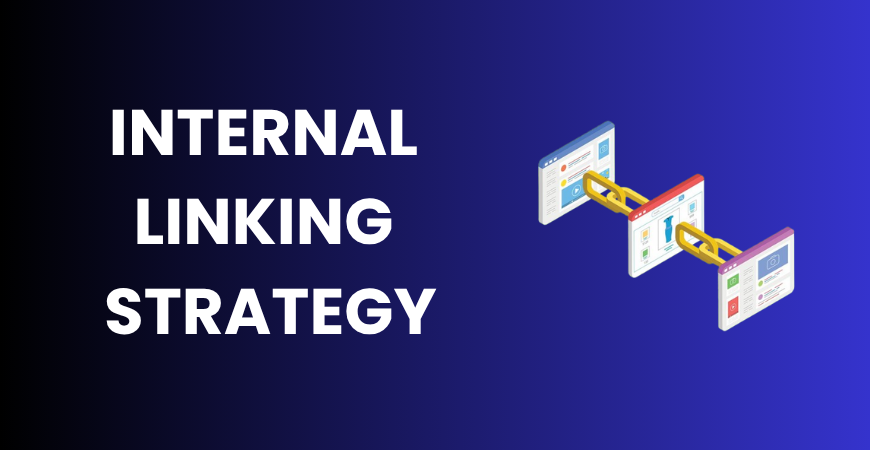
An internal linking strategy is the planned process of connecting one page of your website to another using hyperlinks. Unlike external links, which point to other websites, internal links guide visitors and search engines through your own content.
Many websites add links randomly whenever they remember to do so. While this may create some connections, it does little to improve SEO. A proper internal linking strategy ensures that every important page is connected logically and supports your website’s overall content structure.
Search engines use internal links to:
- Discover new pages
- Understand relationships between topics
- Identify your most important content
- Distribute page authority throughout the website
For example, if your website offers multiple digital marketing services, linking related pages together creates a stronger content ecosystem. Internal linking should therefore be viewed as an essential part of your overall digital marketing strategy, not just a technical SEO task.
Instead of asking, “Which page should I link to?” ask, “Which page will help users continue their journey?” This mindset improves both SEO and user experience.
Build Topic Clusters Instead of Random Links
One of the smartest ways to implement an internal linking strategy is by creating topic clusters. Rather than publishing isolated blog posts, organize your content around one central pillar page supported by several related articles.
For example, a website focusing on SEO could structure its content like this:
| Pillar Page | Supporting Articles |
| Internal Linking Strategy | On-Page SEO |
| Internal Linking Strategy | Technical SEO |
| Internal Linking Strategy | Content Audits |
| Internal Linking Strategy | Keyword Research |
Every supporting article should link back to the pillar page, while the pillar page links to each supporting article. This creates a strong network that helps Google understand your expertise on the topic.
The same approach works for local businesses. For example, service pages targeting different locations can support one another through relevant Local SEO strategies, allowing search engines to understand both your services and your geographical relevance.
Benefits of topic clusters include:
- Better crawlability
- Improved topical authority
- Faster indexing of new content
- Longer user sessions
- More page views per visitor
Instead of building isolated pages, build an interconnected knowledge hub.
Use Descriptive Anchor Texts
Anchor text is the clickable text that users see when they click a link. It provides context about the destination page for both readers and search engines.
A common mistake is using vague anchor texts such as:
- Click here
- Read more
- Learn more
These provide little information about the linked page.
Instead, use descriptive anchor text that accurately reflects the destination. For example, if you’re linking to an article about on-page optimization, using best SEO practices is much more meaningful than a generic phrase.
Here are a few guidelines:
- Keep anchor text natural.
- Match the linked page’s topic.
- Avoid stuffing exact-match keywords repeatedly.
- Use variations where appropriate.
- Ensure the link adds value to the surrounding content.
Good anchor text improves navigation, strengthens topical relationships, and helps Google understand how different pages connect. At the same time, it creates a smoother reading experience because visitors know exactly what to expect before clicking.
Prioritize High-Value Pages
Not every page on your website deserves the same number of internal links. Some pages contribute more directly to business goals, lead generation, or conversions. These should receive greater internal link support.
Examples of high-value pages include:
- Service pages
- Pillar content
- Landing pages
- High-converting blog posts
- Product pages
Whenever you publish a new article, review older content and add contextual links pointing toward these important pages. This helps transfer authority from established pages to newer or more valuable ones.
For example, if you’ve written a blog explaining paid advertising, linking naturally to a performance marketing guide allows both readers and search engines to explore related topics while strengthening important pages.
A simple rule is to regularly ask:
“If this page ranked higher, would it help my business?”
If the answer is yes, make it part of your internal linking strategy.

Common Internal Linking Mistakes
Even websites with good content can struggle because of poor internal linking habits. Steering clear of these errors can greatly enhance your SEO results.
Linking unrelated pages
Every internal link should have a logical connection. Random links confuse both users and search engines.
Creating orphan pages
A page is considered an orphan when no other internal links lead to it. Since search engines discover content through links, orphan pages are often crawled less frequently and perform poorly.
Using too many links
Adding dozens of links to every page reduces their value and overwhelms readers. Focus on quality rather than quantity.
Repeating identical anchor text
Using the exact same keyword every time can make your linking profile appear unnatural. Mix exact, partial, and descriptive anchor texts where appropriate.
Ignoring broken links
Internal links should be reviewed regularly. Broken links negatively impact user experience and result in unnecessary crawl budget being used up.
A simple quarterly audit can help identify these issues before they affect rankings.
Build an Internal Linking System That Scales
An effective internal linking strategy should become part of your publishing workflow rather than an afterthought.
A practical process looks like this:
Step 1: Publish a new article.
Step 2: Add links to 3–5 relevant older articles.
Step 3: Update older articles to link back to the new content.
Step 4: Connect both to the relevant pillar page.
Step 5: Review performance in Google Search Console after indexing.
You can further strengthen your website by combining strong internal linking with technical improvements like schema markup, which helps search engines interpret page content more effectively.
For businesses managing large websites, maintaining a spreadsheet of pillar pages, cluster articles, and internal links makes future updates much easier. Over time, this creates a scalable website architecture that supports continuous SEO growth instead of relying on isolated optimization efforts.
How Digiad Solution Helps Businesses Build Smarter Internal Linking
At Digiad Solution, we believe that SEO success comes from building systems rather than chasing shortcuts. Our team develops structured internal linking frameworks that connect service pages, blogs, and landing pages into topic-focused content clusters.
Along with keyword planning, content optimization, and technical SEO improvements, we regularly audit internal links to ensure important pages receive the authority they need. This strategic approach helps businesses improve crawlability, strengthen topical relevance, and build sustainable organic visibility instead of relying on one-time SEO tactics.
Frequently Asked Questions
How many internal links should a page have?
There is no fixed number. Add only as many links as naturally improve navigation and provide additional value to readers.
Do internal links help Google rankings?
Yes. Internal links help search engines discover pages, understand content relationships, and distribute authority across your website.
Should every page link to a pillar page?
Whenever relevant, yes. Pillar pages act as central resources that strengthen topical authority and improve site structure.
Can too many internal links hurt SEO?
Too many unnecessary links can dilute their value and create a poor user experience. Focus on quality and relevance rather than quantity.
How often should I update internal links?
Review your internal linking every few months or whenever you publish significant new content to keep your website well connected.
Conclusion
A well-planned internal linking strategy does much more than connect pages—it creates a logical website structure that helps users find relevant information and enables search engines to understand your expertise. By building topic clusters, using descriptive anchor text, prioritizing important pages, avoiding common mistakes, and following a repeatable linking process, you can strengthen your SEO foundation and improve rankings over time. Businesses that adopt this structured approach, supported by experienced teams like Digiad Solution, are better positioned to achieve sustainable organic growth in an increasingly competitive search landscape.